创建测试集群,
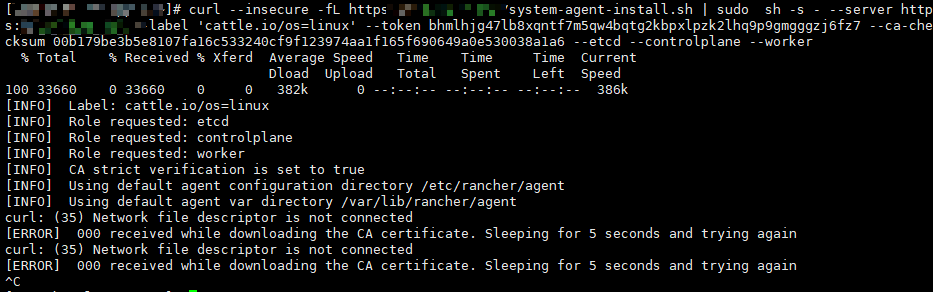
注册主节点报curl: (35) Network file descriptor is not connected
[ERROR] 000 received while downloading the CA certificate. Sleeping for 5 seconds and trying again
创建测试集群,
注册主节点报curl: (35) Network file descriptor is not connected
[ERROR] 000 received while downloading the CA certificate. Sleeping for 5 seconds and trying again
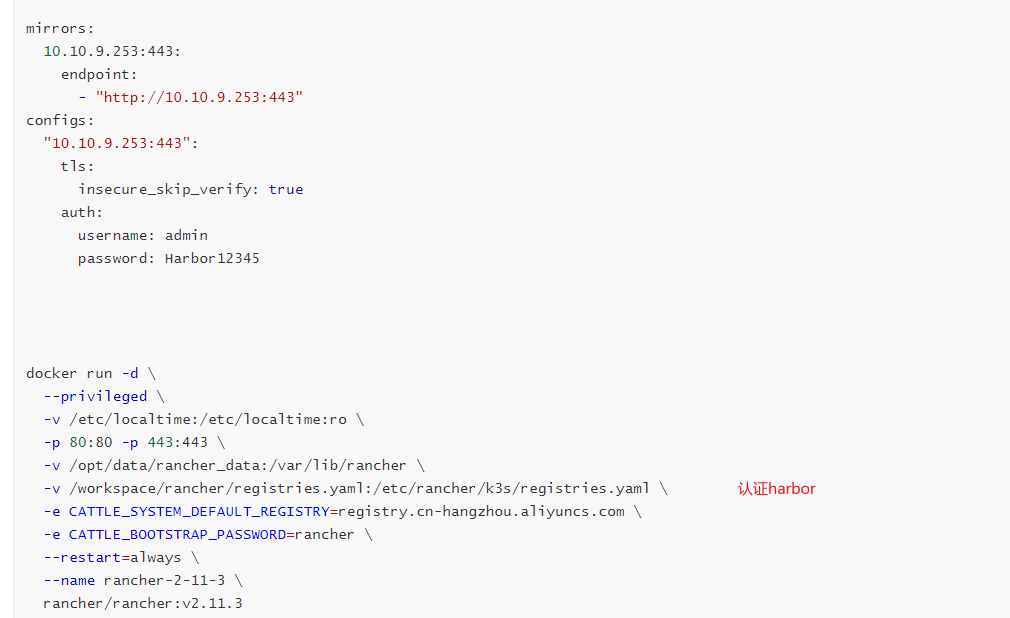
像是证书的问题,请提供完整的 rancher 安装命令
那你上面报错的 终端图片里的 rancher url 是什么?域名或者是 IP ?来源是?
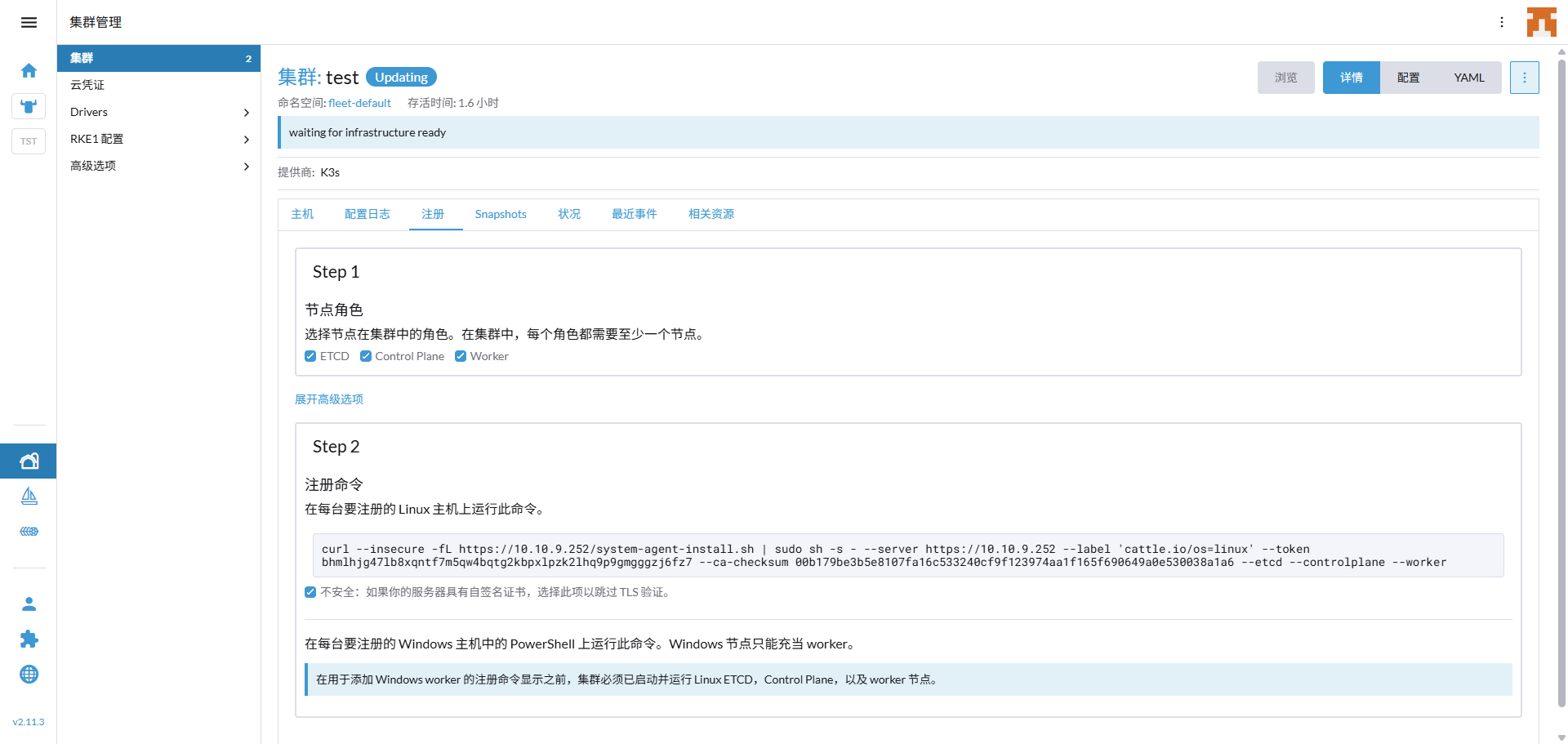
curl -fL https://10.10.9.252/system-agent-install.sh | sudo sh -s - --server https://10.10.9.252 --label ‘cattle.io/os=linux’ --token bhmlhjg47lb8xqntf7m5qw4bqtg2kbpxlpzk2lhq9p9gmgggzj6fz7 --ca-checksum 00b179be3b5e8107fa16c533240cf9f123974aa1f165f690649a0e530038a1a6 --etcd --controlplane --worker 是IP 这是注册的命令
curl performs SSL certificate verification by default, using a “bundle”
of Certificate Authority (CA) public keys (CA certs). If the default
bundle file isn’t adequate, you can specify an alternate file
using the --cacert option.
If this HTTPS server uses a certificate signed by a CA represented in
the bundle, the certificate verification probably failed due to a
problem with the certificate (it might be expired, or the name might
not match the domain name in the URL).
If you’d like to turn off curl’s verification of the certificate, use
the -k (or --insecure) option.
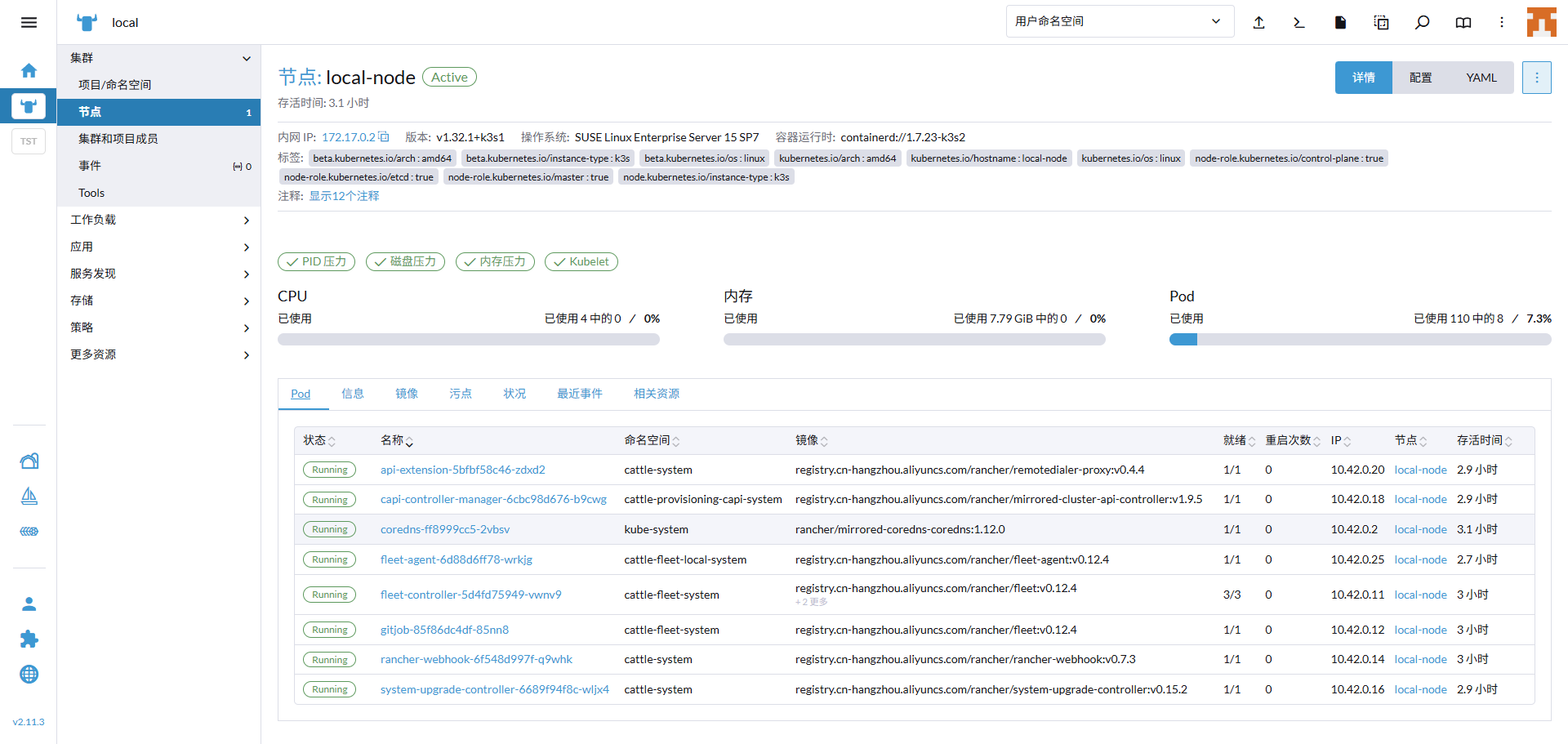
目前是没看出来啥问题,那你访问 local 集群里面的 pod 菜单,看看是否所有 pod 都启动成功
如果是这样,有可能是垃圾数据造成的: