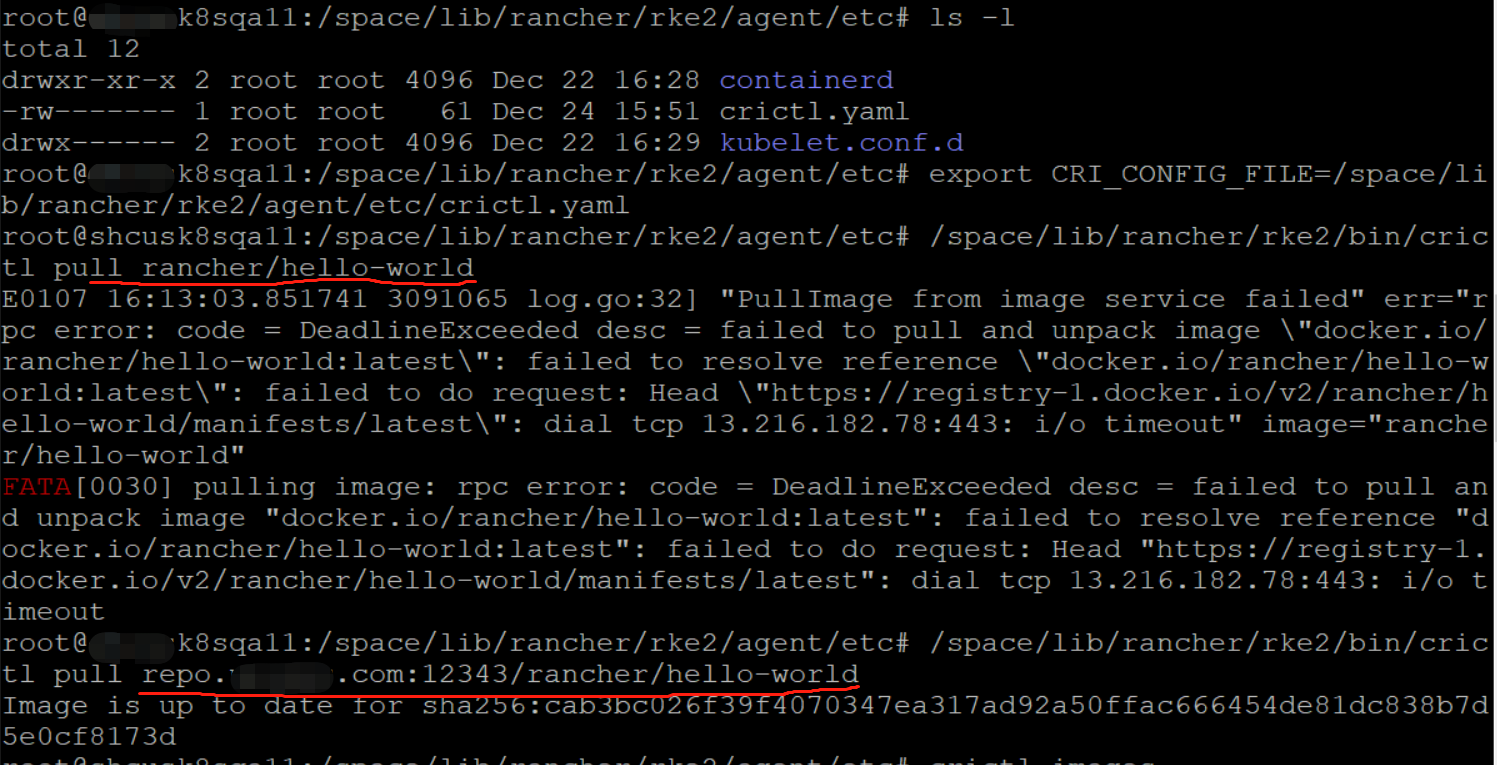
环境信息:
RKE2 版本:
rke2 version v1.33.6+rke2r1 (2c2298232b55a94bd16b059f893c76a950811489)
go version go1.24.9 X:boringcrypto
节点 CPU 架构,操作系统和版本:
Linux k8sqa16 6.8.0-41-generic #41-Ubuntu SMP PREEMPT_DYNAMIC Fri Aug 2 20:41:06 UTC 2024 x86_64 x86_64 x86_64 GNU/Linux
集群配置:
3 servers, 3 agents
问题描述:
rke2安装时,配置了config.yaml中
system-default-registry: “repo.test.com:12343”
private-registry: “repo.test.com:12343”
配置了/etc/rancher/rke2/registries.yaml为
mirrors:
docker.io:
endpoint:
- “https://repo.test.com:12343”
集群安装后,系统组件pod的镜像都是repo.test.com:12343,部署自己的应用,应用的镜像却还是从docker.io拉取,没有从私库拉取
重现步骤:
- 安装 RKE2 的命令:
server节点的配置/etc/rancher/rke2/config.yaml内容如下:
server: https://rancher.test.com:9345
token: “demo-cluster”
write-kubeconfig-mode: “0644”
data-dir: “/space/lib/rancher/rke2”
tls-san:- “rancher.test.com”
node-taint: - “CriticalAddonsOnly=true:NoExecute”
system-default-registry: “repo.test.com:12343”
private-registry: “repo.test.com:12343”
- “rancher.test.com”
/etc/rancher/rke2/registries.yaml文件的内容如下:
mirrors:
docker.io:
endpoint:
- “https://repo.test.com:12343”
安装命令:
INSTALL_RKE2_VERSION=“v1.33.6+rke2r1” INSTALL_RKE2_TYPE=“server” INSTALL_RKE2_METHOD=“tar” INSTALL_RKE2_ARTIFACT_PATH=/space/data/rkeairgap sh install.sh
agent节点的安装配置:
/etc/rancher/rke2/config.yaml的内容为:
server: “https://rancher.test.com:9345”
token: “demo-cluster”
data-dir: “/space/lib/rancher/rke2”
system-default-registry: “repo.test.com:12343”
private-registry: “repo.test.com:12343”
/etc/rancher/rke2/registries.yaml内容为:
mirrors:
docker.io:
endpoint:
- “https://repo.test.com:12343”
agent节点的安装命令为:
INSTALL_RKE2_VERSION=“v1.33.6+rke2r1” INSTALL_RKE2_TYPE=“agent” INSTALL_RKE2_METHOD=“tar” INSTALL_RKE2_ARTIFACT_PATH=/space/data/rkeairgap sh install.sh
预期结果:
安装成功的集群,在集群中部署应用:
kubectl create deployment hello-world-test --image=rancher/hello-world --replicas=1 -n test
该应用应该从镜像仓库repo.test.com:12343 拉取镜像
实际结果:
该应用从docker.io拉取镜像,拉取不下来
日志
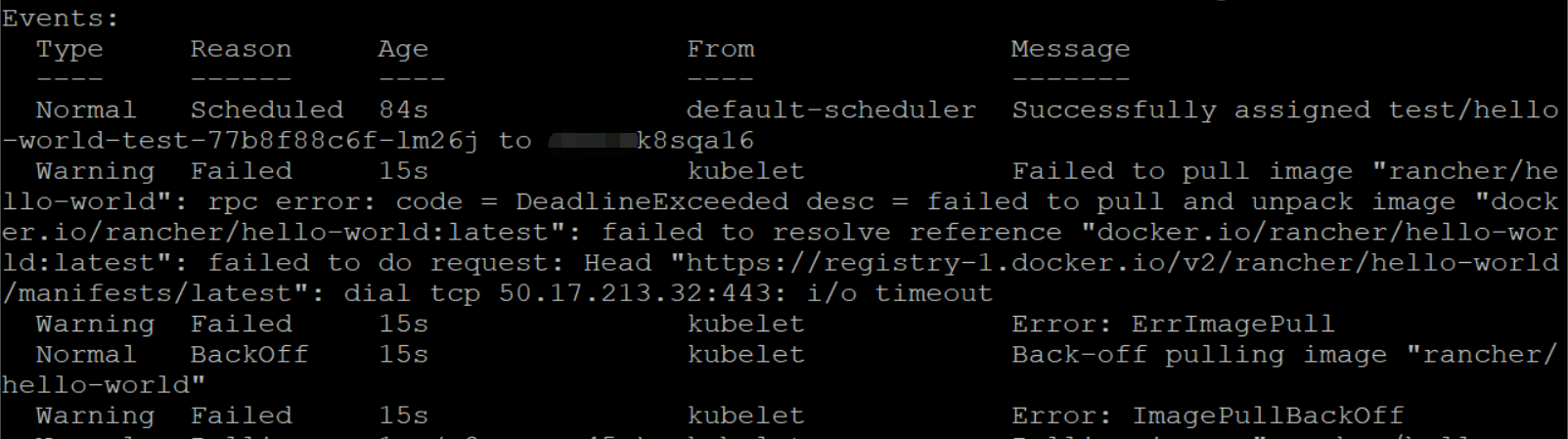
Failed to pull image “rancher/hello-world”: rpc error: code = DeadlineExceeded desc = failed to pull and unpack image “docker.io/rancher/hello-world:latest”: failed to resolve reference “docker.io/rancher/hello-world:latest”: failed to do request: Head “https://registry-1.docker.io/v2/rancher/hello-world/manifests/latest”: dial tcp 50.17.213.32:443: i/o timeout